Output the calculation result of formula to Excel output
A button to output the sheet as an Excel file is at the top right of the released sheet.
Normally, the entered formula is output as it is, but if you do not want to output the formula depending on the contents of the sheet, you can set to output the calculation result.
Output the calculation result of formula to Excel output
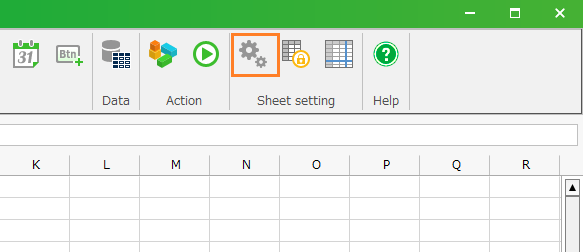
- Click 'Sheet setting' from ribbon menu, then open 'Sheet setting'.
- Open the 'Publish' tab and check the 'Output the calculation result of the formula' button.
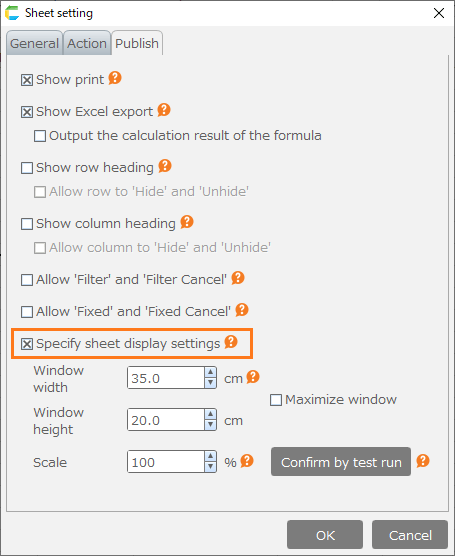
- Click 'OK'.
- Save the sheet.
Attention
- If you check 'Output the calculation result of the formula', note the following.
- The graph is displayed blank.
Related keywords
excel, download, export, print