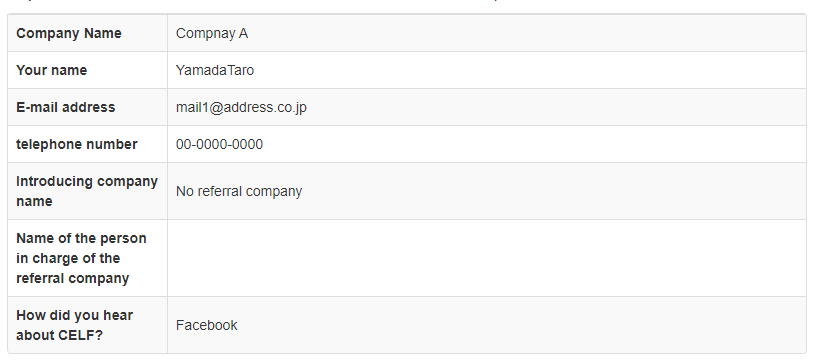
Register data using structural analysis
Register data into the system with the "Operate a control on the screen" action
Create a process to automatically register the application data using the registration screen of the Web system, such as the following.
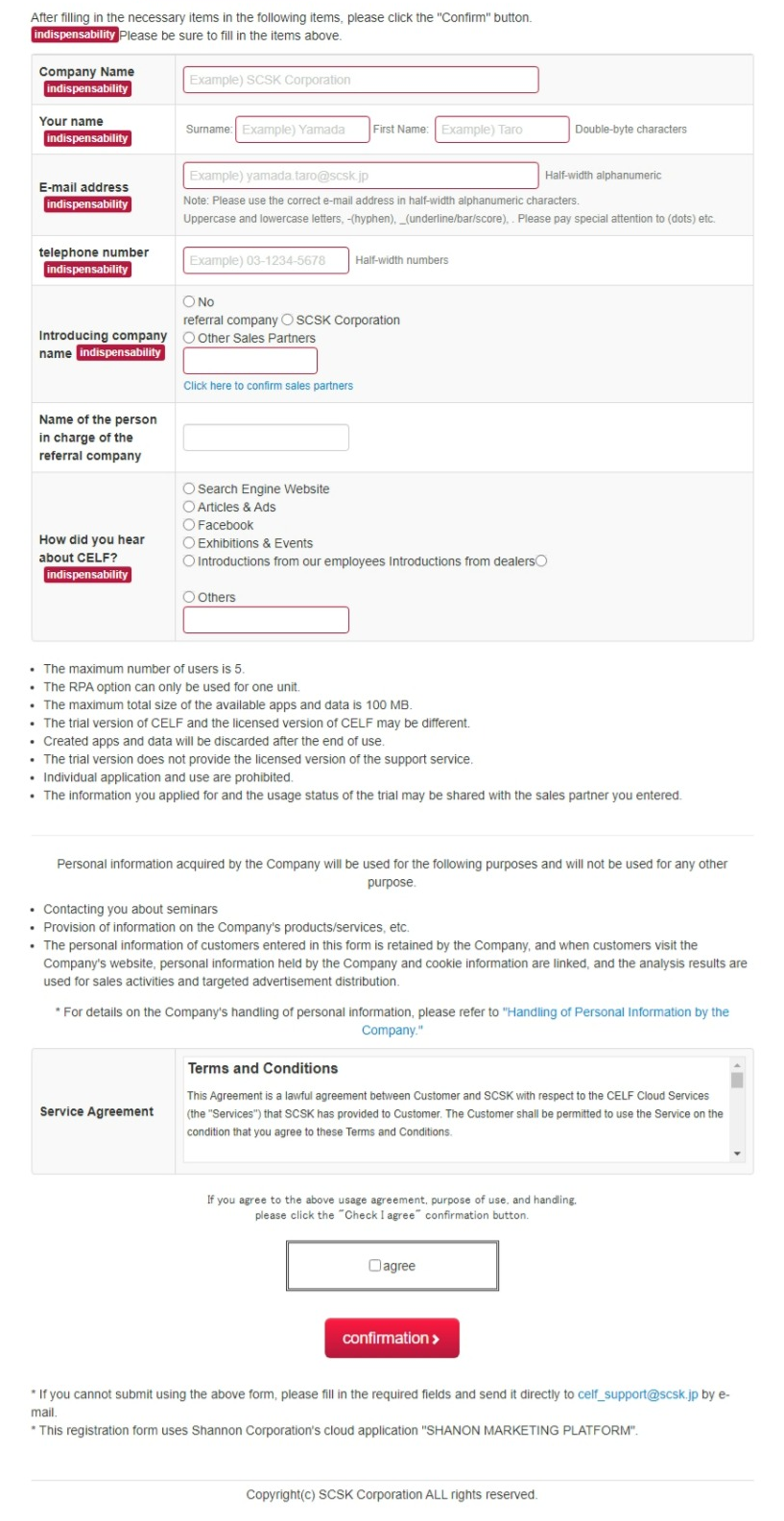
Create a CELF sheet like the following and register the listed registration data into the system.
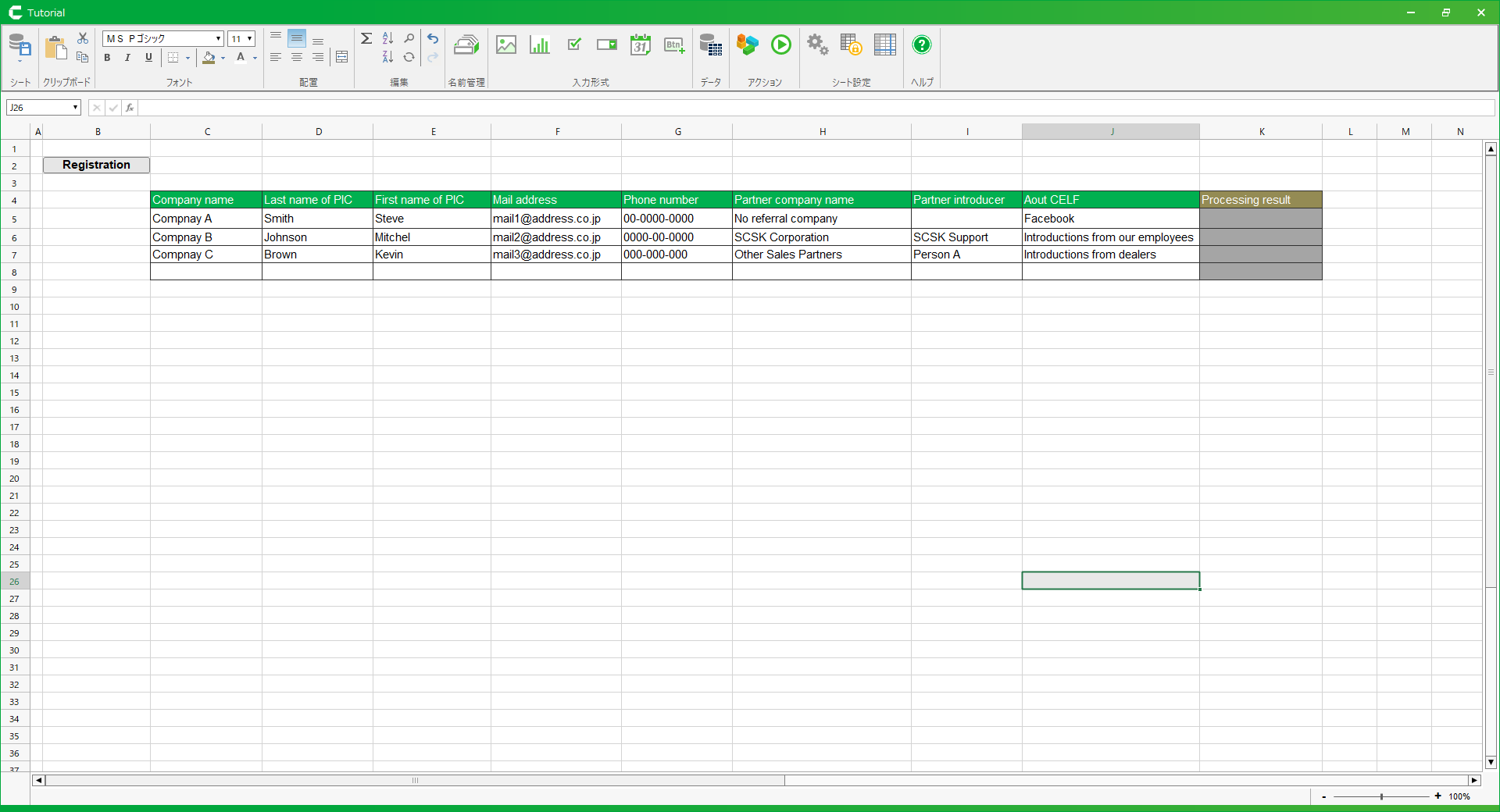
The action set is created using the "Operate a control on the screen" action, which is as follows.
Since the "Operate a control on the screen" action can manipulate various types of screen items, you can create a single action to input into several types of input fields or pressing the Register button.

See also
Refer to "Operation by structural analysis" to set the "Operate a control on the screen" action.
Running this sample will enter data in the input fields of the registration screen and execute the registration.