Double-Click the Icon on the Desktop to Launch the Application
You can launch an application by double-clicking the icon shown on the desktop.
The following sample is to create a process to launch an application when the following icon is placed on the desktop.
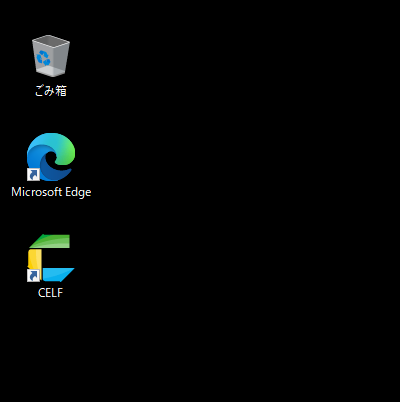
Launch from the application icon
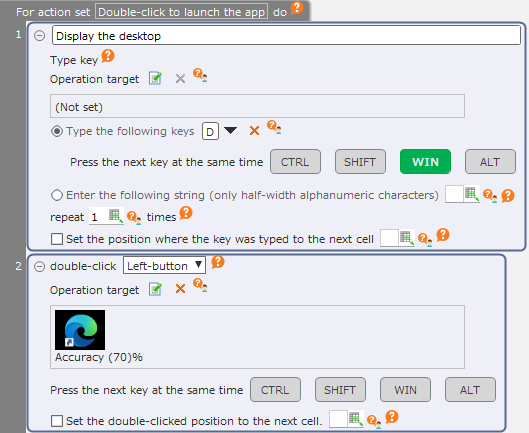
By executing this process, Microsoft Edge will launch from the Desktop icon.
See also
Refer to "Double-click mouse button" for details on how to use the "Double-click the mouse button" action.
Launch from the file icon
By double-clicking the file icon, the file can also be opened through the application associated with that file.
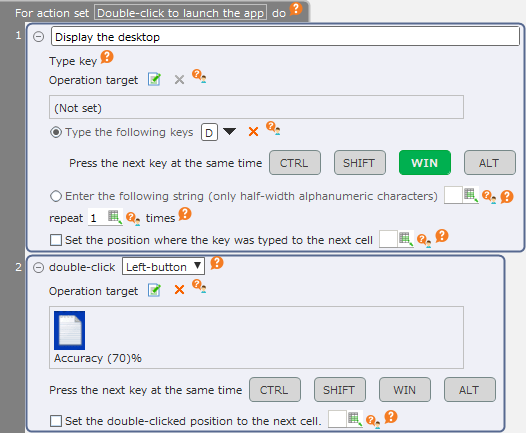
By executing this process, a text file will open in the Notepad.