Execute Commands
The following are the three ways to execute Windows commands.
Here, each execution method will be explained.
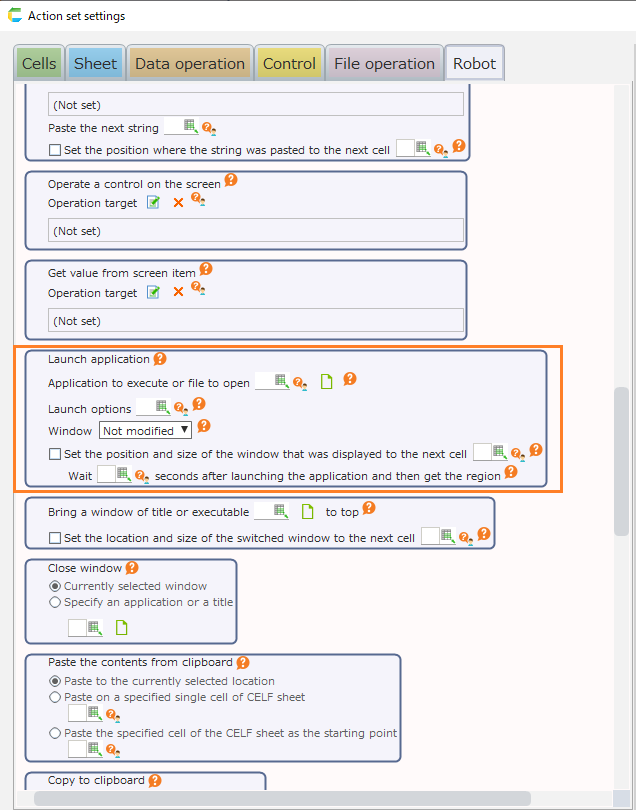
Execute a batch file using the "Launch application" action
Execute a batch file using the "Launch application" action.
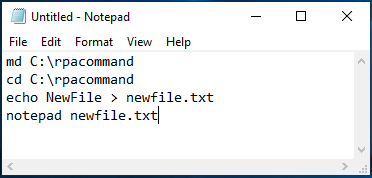
Create a batch file.
As an example, use a batch file that will create a new folder and text file.
Specify the batch file through the "Launch application" action.
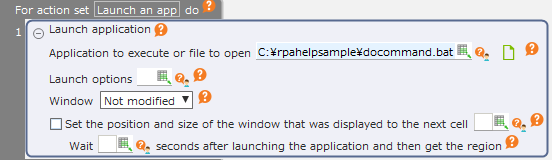
With this method, you can execute a command described in the batch file with 1 action.
Execute the command from the "Specify file name and execute" dialog
With this method, the command from the "Specify file name and execute" dialog is executed in combination with multiple actions.
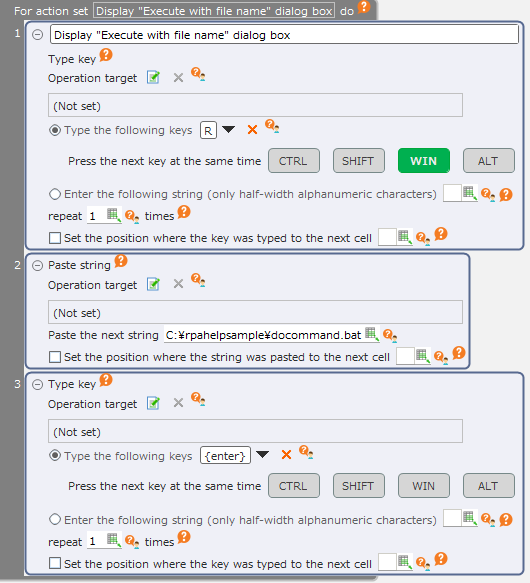 If this method is used, you can specify the parameters in the batch file.In addition, you can execute the command on its own without a batch file.
Launch the command prompt and execute the command
This method combines multiple actions to execute command by typing it into the command prompt.
Set the command to be executed.
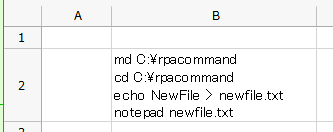
Here, the following series of commands that were set in the cell are to be executed.
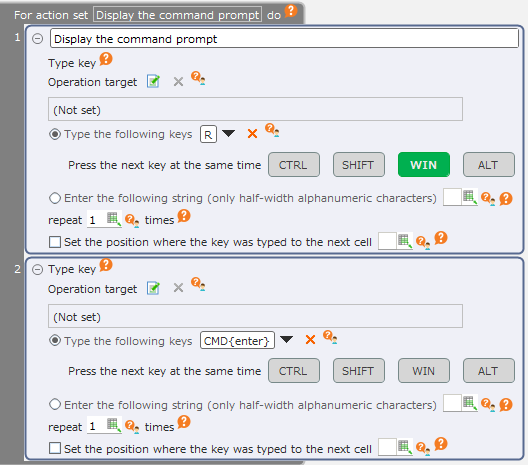
Set in such a way that the command prompt window will be displayed.
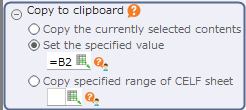
Set in such a way that the command to be executed will be set on the clipboard.
Set in such a way that the command will be pasted to the command prompt from the clipboard.
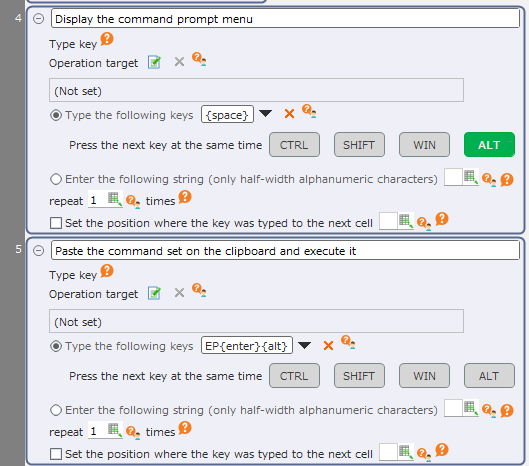
If you add the execution of the command to terminate the program after the above process, the action set will be as follows.
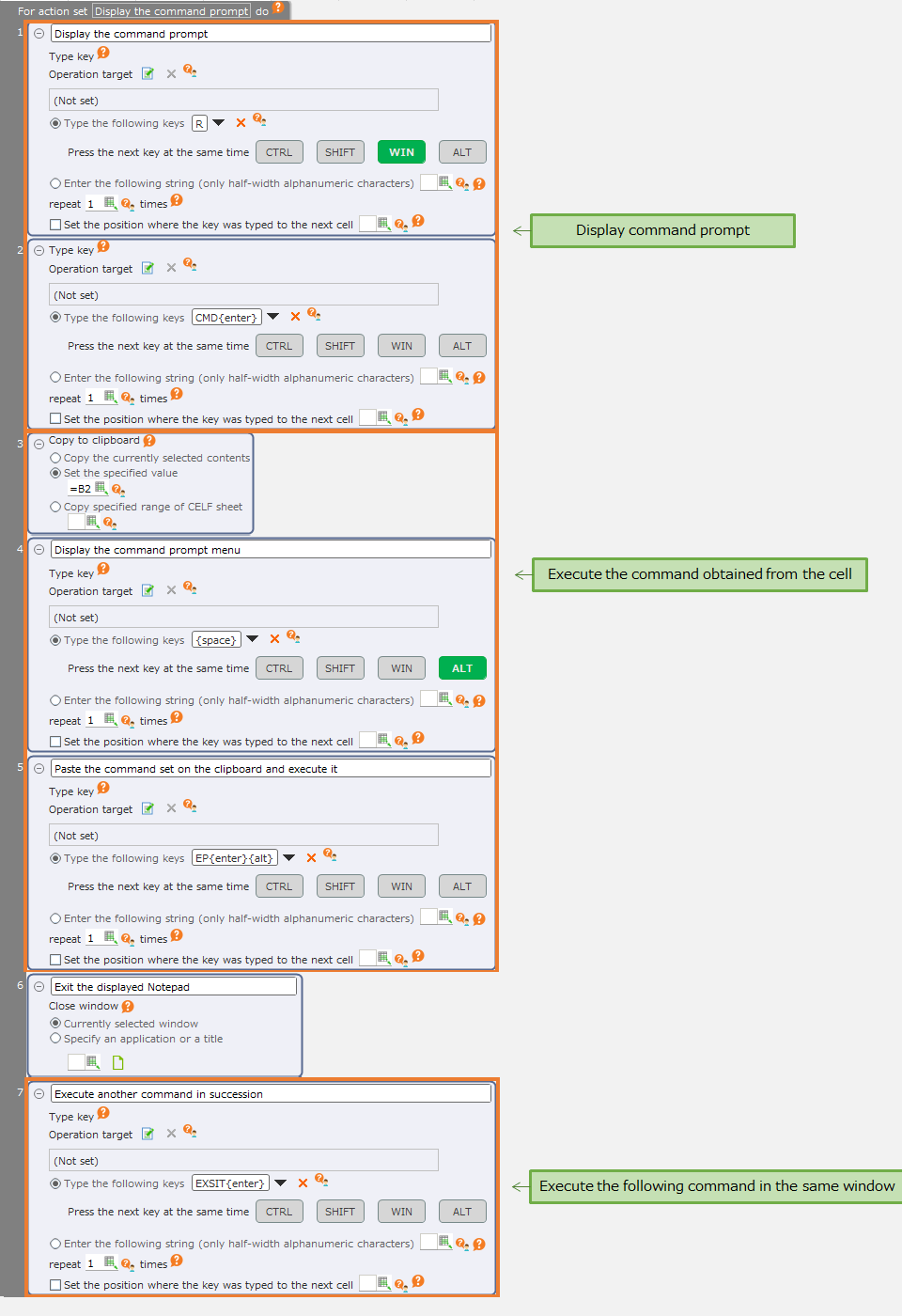 If you use this method, you can execute multiple commands that have been set in a cell all at once.After executing the specified command, you can additionally execute another command while taking over the current directory and environment variable.