Execute the Same Process Repeatedly
By combining the robot actions and repeating the control actions, you can repeat executing the blocks that have been created.
The following are the two types of repeat control actions.
"Repeat while condition is fulfilled" action
The same process will be repeatedly executed while the value of the cell in the CELF sheet and the results of the formula fulfill the particular conditions.

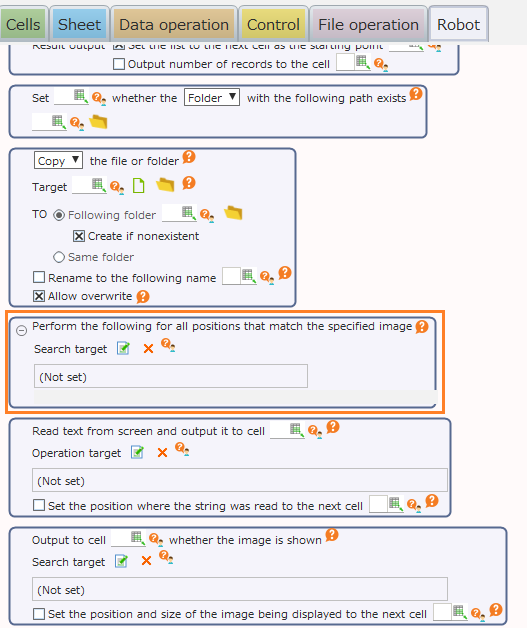
"Perform the following for all positions that match the specified image" action
The same process will be executed in sequence for all the positions on the screen where the specified image is shown.
Here, a process for showing all URLs stated in the list in combination with the "Repeat while condition is fulfilled" action is created.
See also
Refer to "Operating all locations where images are displayed" on how to use the "Perform the following for all positions that match the specified image" action.
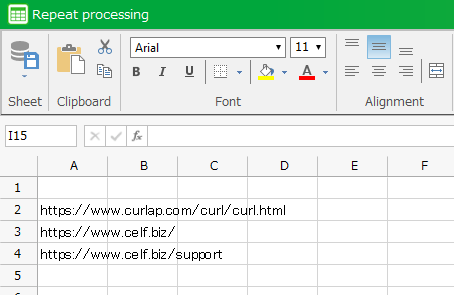
Create an action set for performing repetitive operation
The "Repeat while condition is fulfilled" action includes actions that use robot actions.
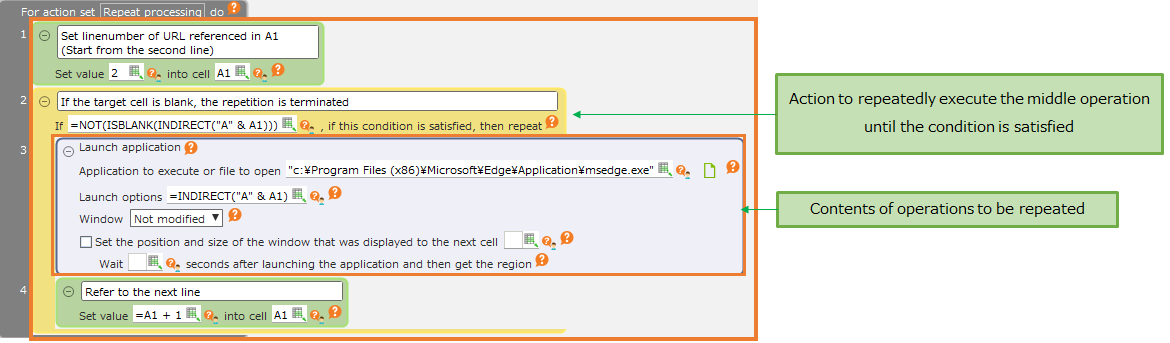
If this sample is executed, the URLs on the list will appear sequentially in browser.