Copy values from the screen’s system items using structural analysis
Note
Some contents and links are in Japanese only.
Copy the data shown on the screen item to the CELF sheet with the "Get value from screen item" action
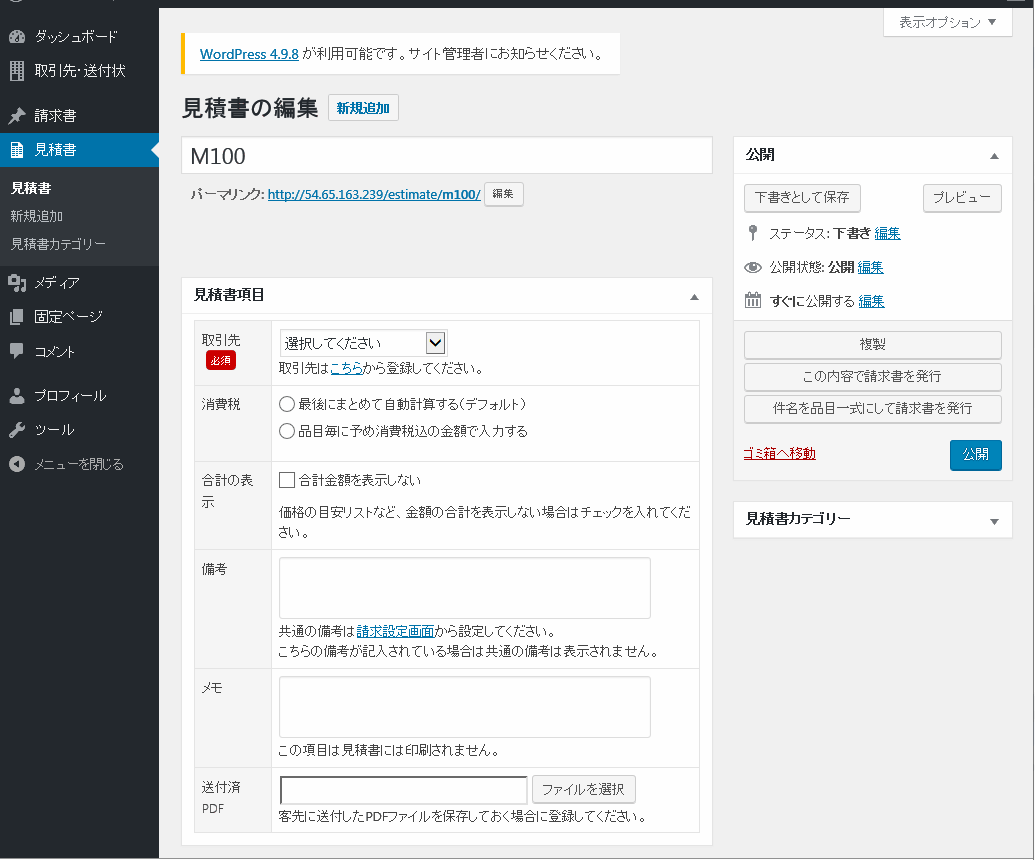
Create a process that retrieves the quotation information from the quotation details page of the Web system, such as the following.
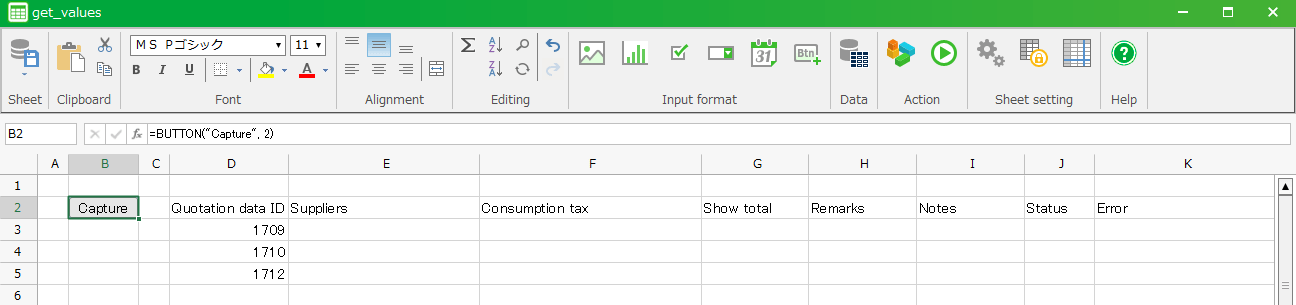
Create a CELF sheet like the following and create a list of quotation information that corresponds to the quotation data ID.
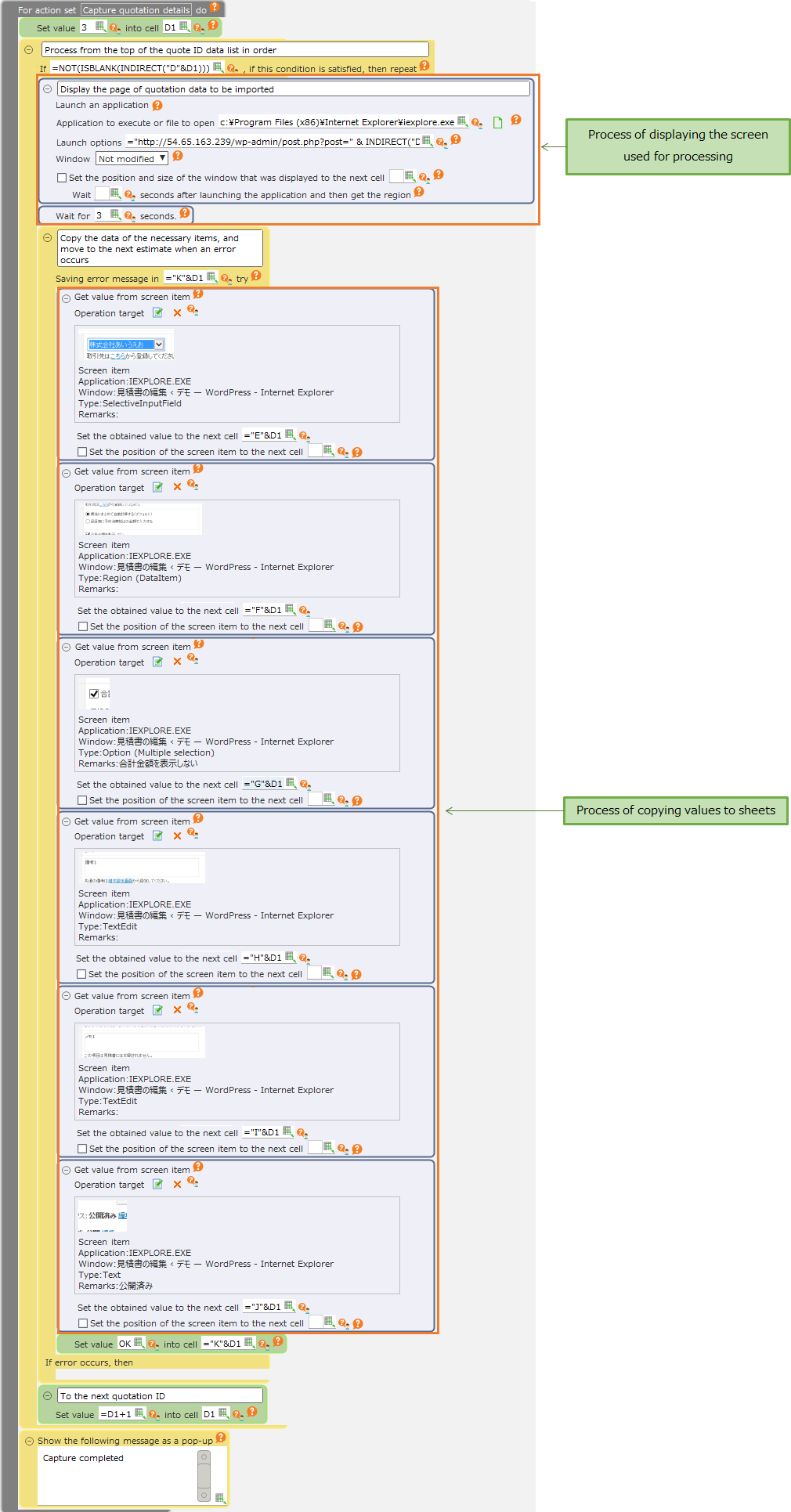
The action set is created by using the "Get value from screen item" action and is as follows.
See also
For more information about how to set the "Get value from screen item" action, see "Operation by structural analysis"".
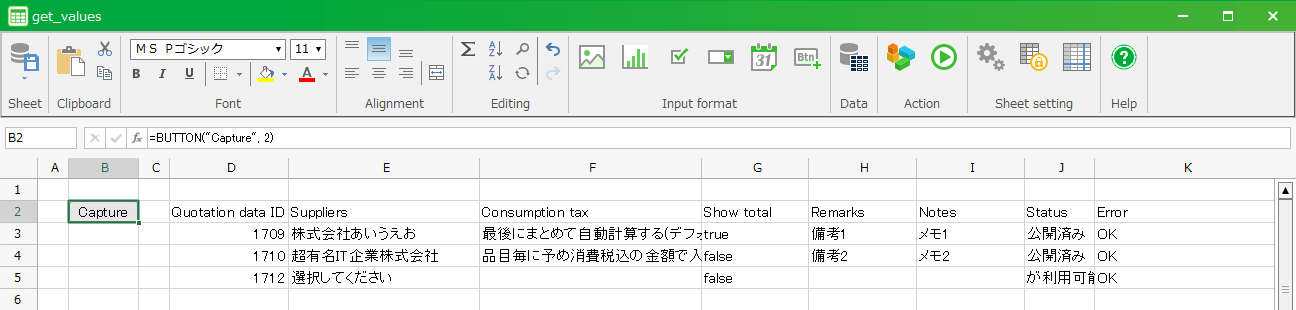
Running this sample will show the target quotation data in the browser and copy the necessary items to the CELF sheet.