Change the process if an error occurs in the robot action
Branch the process using the "Output error information" action
By combining it with the "Output error information" action, you can change the process if an error occurs in the robot action.
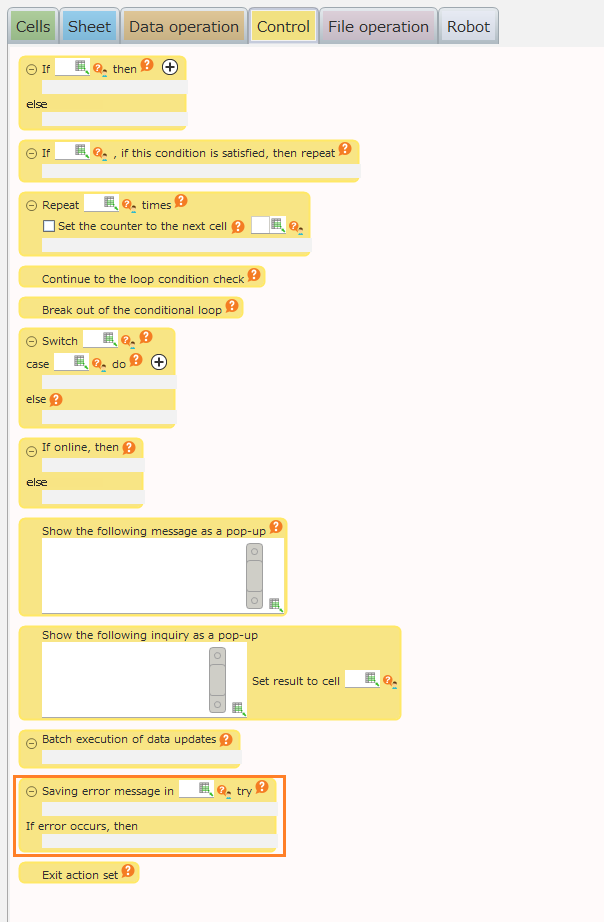
Here, we will create a process that will end the application without displaying an error message when the file to be opened does not exist.
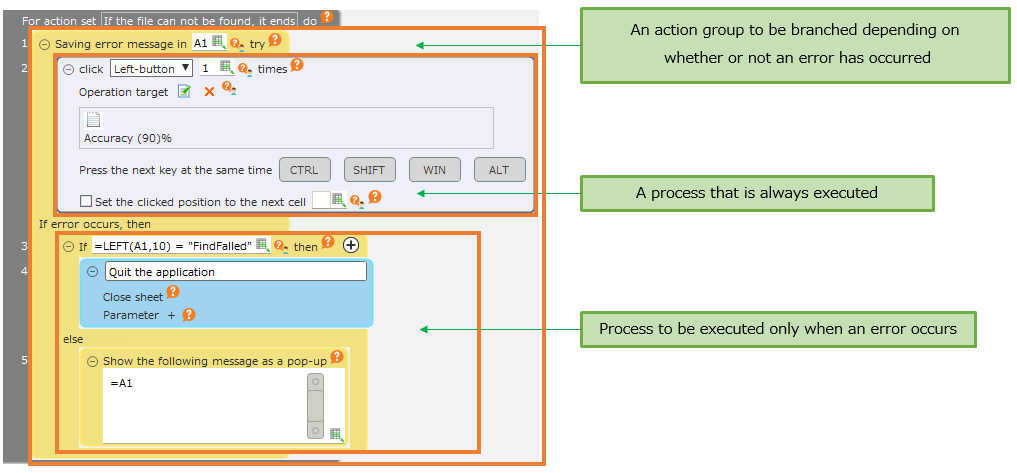
By executing this sample, the application will end without an error message being displayed when the file icon is not displayed on the screen.
See also
In the sample, the application is only terminated when there is an icon-not-found error, and a message is displayed for all other errors.
The error type can be determined based on the content of the error message.
Refer to "Possible-errors-caused-by-robot-action" for the contents of the message for each type of error.