Possible Errors in Robot Actions
The following are the errors of robot actions that are set into the cells in the "Output error information" action
"FindFailed: The image specified as the operation target cannot be found on the screen."
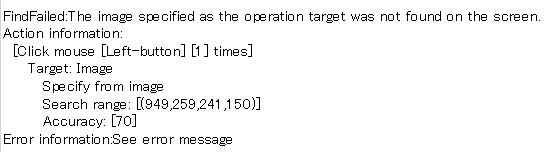
This appears if the image specified as the operation target cannot be found.
If the image you have specified is not displayed on the screen, either change the image you have specified in the search condition or modify the process so that the screen is displayed as expected.
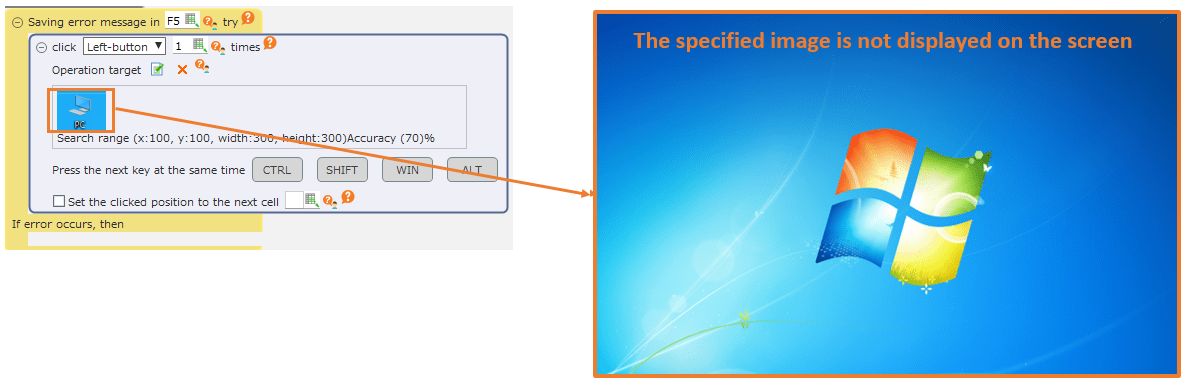
If an error occurs even if the specified image is displayed on the screen, then check if the search range of the image has been specified. If the search range of the image has been specified, correct it to the appropriate search range or select "Search from the entire screen".
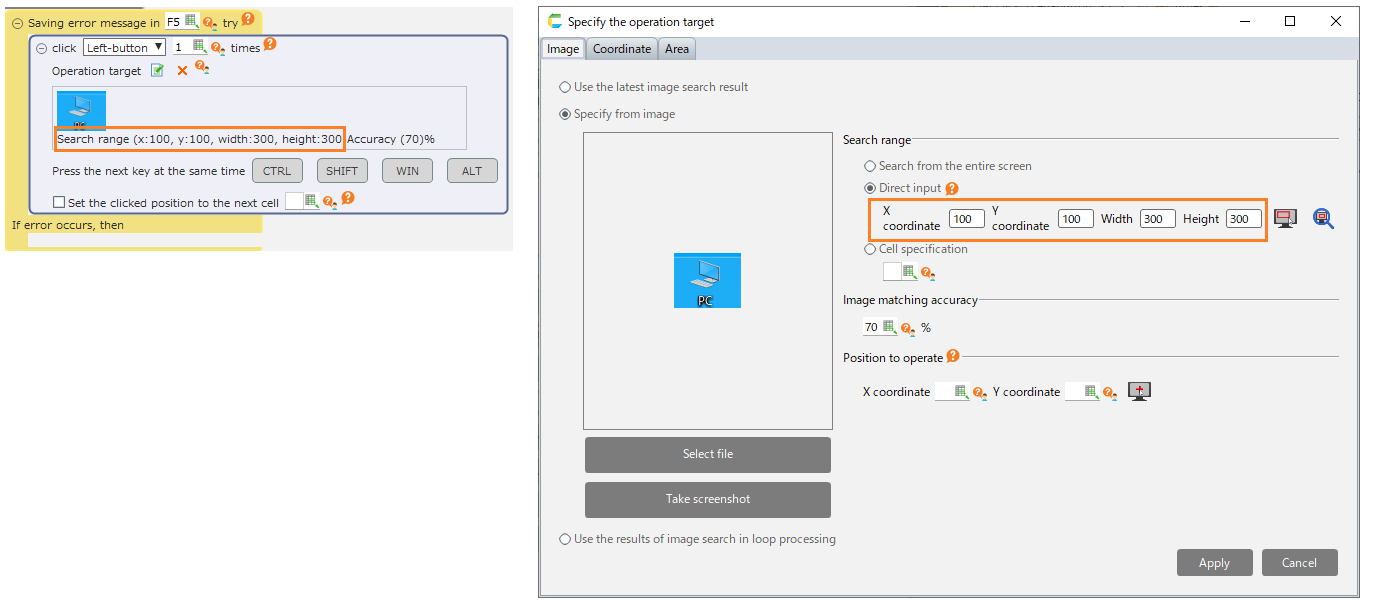
Hint
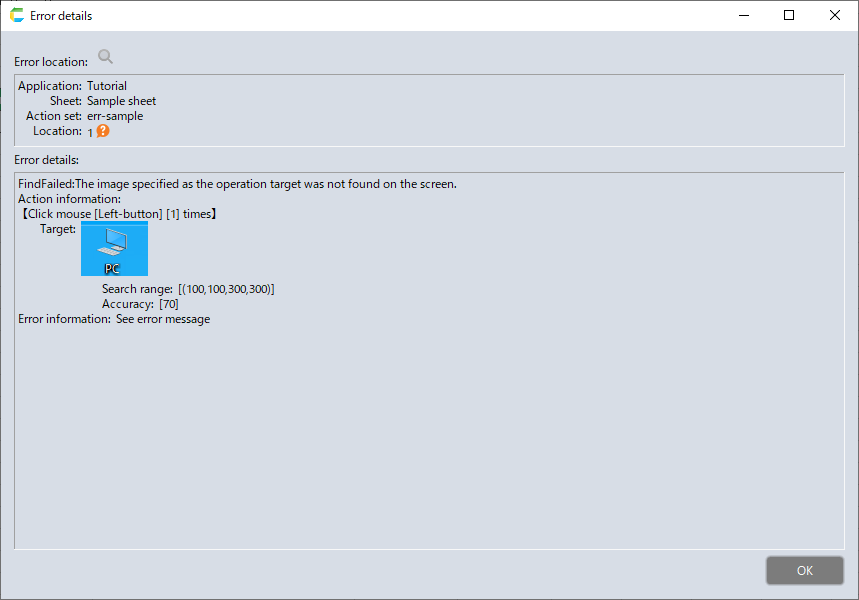
You can check the image that was being searched when the error occurred on the error details dialog.
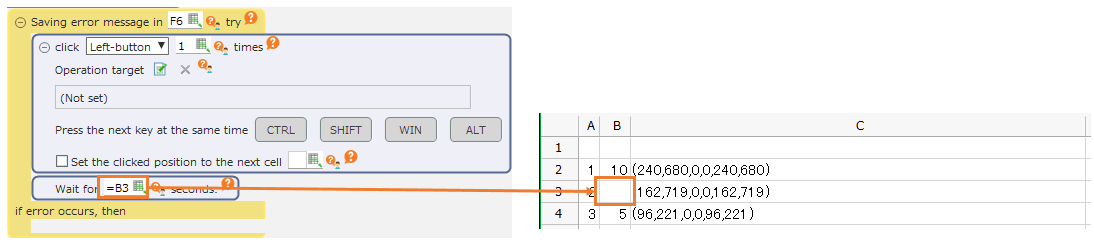
"InvalidParameter: XX is incorrect."
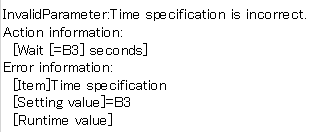
This generally appears when there is a mistake in the value referenced by a cell or formula, such as when the result of the formula of the field where numbers are entered is a string.
Correct the processing so that the expected value is set.
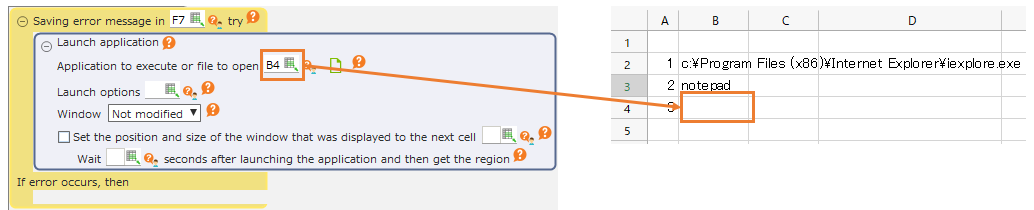
"InvalidTarget: XX cannot be found."
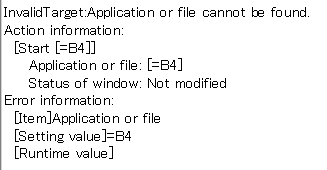
This appears in such cases as when the target window in the action for operating the application and window cannot be found.
Modify the process so that the referenced cell will be set to the expected value when executed.
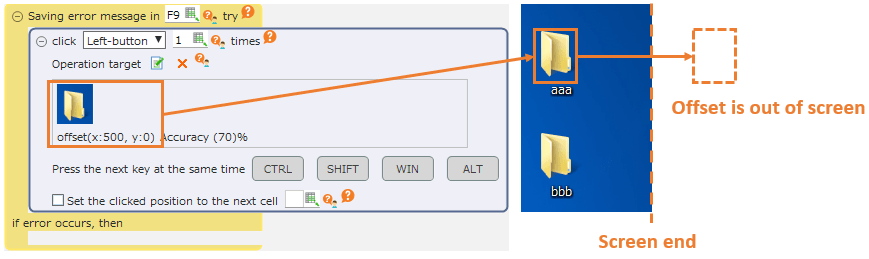
"OutOfScreenTarget: Operation target cannot be found."
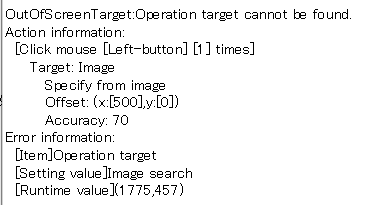
This occurs when you try to operate a position outside the screen due to the setting of the operating position.
Adjust the display position of the operation target so that the coordinates of the operation target fit inside the screen, or correct the processing.
Possible Errors in Robot Actions
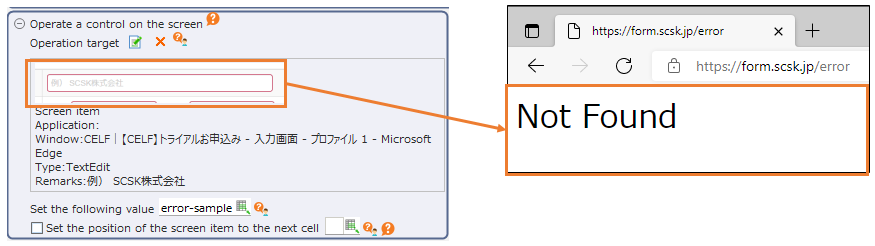
"ControlNotFound: Screen item was not found. The window title or the internal structure of the screen may have been changed."

This appears if the image specified as the operation target cannot be found.
The following can be considered as reasons why the operation target cannot be found.
- The window title at runtime is different from that at setting time
- The internal structure of the screen at runtime is different from that at setting time
If the window title or the internal structure of the screen changes by entering a value in a particular field, it may work by changing the order of processing.
If it is difficult to avoid, use robot actions that does not use structural analysis such as "Click" action.
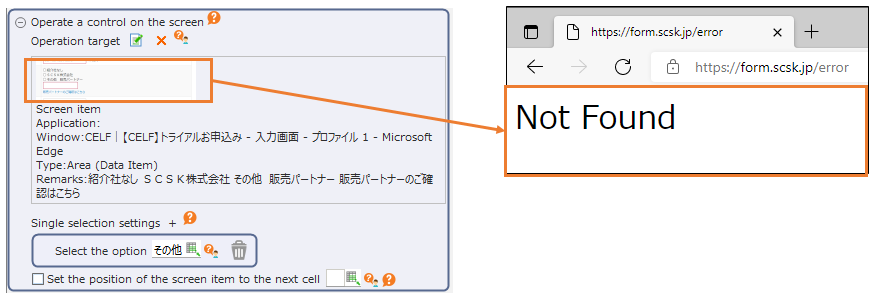
"AreaNotFound: Screen item was not found. The window title or the internal structure of the screen may have been changed."

As with ControlNotFound above, this occurs when the specified screen area can not be found in the setting of options for the area.
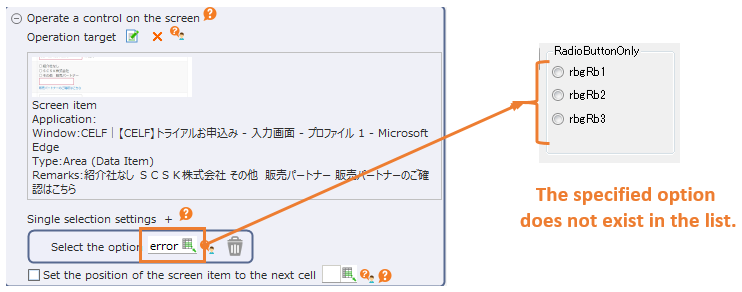
"OptionNotFound: The specified option could not be found. There may be an error in the specification of the option or the internal structure of the screen has been changed."

This occurs when the specified option can not be found when selecting values in the selective input field or list.
Please check the specification of the value to be selected and whether the contents of the list at the time of execution are as expected.
"UnsupportedControl: The specified screen item may not support operation by structural analysis."

This occurs when the screen item does not support the operation requested by CELF RPA. Please use robot actions which does not use structural analysis such as "Click" action.
"UIControlSystemError: A system error has occurred."

There is a possibility that the operation target application does not correspond to the structural analysis function or some problem has occurred in CELF RPA.
Please use robot actions such as the "Click" action, which does not use structuralanalysis.