Copy & Paste
Paste clipboard content
Drag the "Paste clipboard content" action from the "Robot" tab and set it to the edit area.
Set the paste destination.
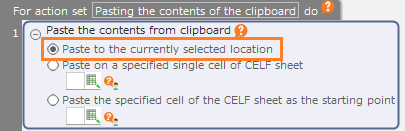
- Paste to the place that is currently selected
Paste the contents of the clipboard to the position that is currently selected on the screen.
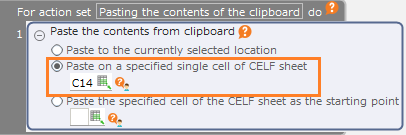
- Paste on a specified single cell of CELF sheet
Set the string copied on the clipboard into the cell.
Note
The cell value is not changed when images or other items that are not strings are copied on the clipboard.When copying a cell range or a string including a line feed, it will be pasted into one cell with added line feeds.
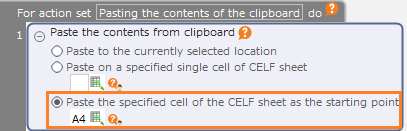
- Paste to the specified cell of the CELF sheet as the starting point
Paste the strings and cells from the clipboard into CELF sheet.
Note
The cell value is not changed when images or other items that are not strings are copied on the clipboard.When copying a cell range or a string including a line feed, it is pasted in the cell range in the same form as the copy source.Note
When a cell range such as "A1:B3" is specified as the destination, data willl be pasted to the upper left cell as the starting pointof the specified range.
Copy to clipboard
Drag the "Copy to clipboard" action from the "Robot" tab and set it to the edit area.
Set the contents to be copied.
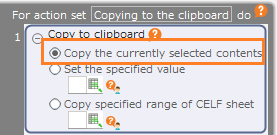
- Copy the currently selected contents
Copy the item that is currently selected on the screen.
Hint
Items other than strings, such as a files selected on the window, can also be copied.
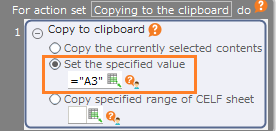
- Set the specified value
Strings and cell values can be copied.
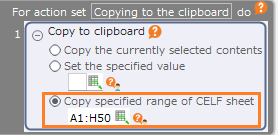
- Copy specified range of CELF sheet
The specified range of cells on the CELF sheet can be copied.
Attention