Modify "Quotation_Header Information List Screen" sheet
This section explains how to modify "Quotation_Header Information List Screen".
Attention
About App modification will initialize the header information list screen.
Please note that any corrections you make on this page will also be deleted.
Set up layout
Add more columns to enter temporary values in the workflow action.
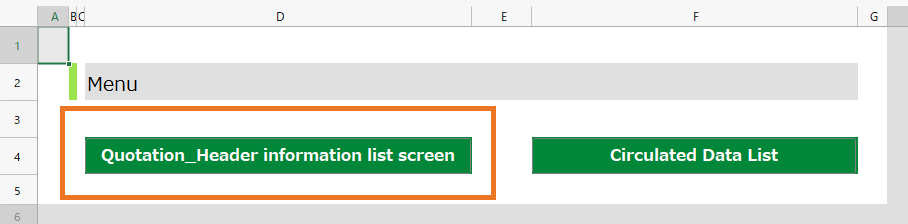
Double-click the "Quotation" sheet.
Click the Sheet settings icon.
Increase the sheet column number by 1 to "26". Column Z wil be added to the sheet.
Hide column Z. Select column Z and select Hide from right-click menu.
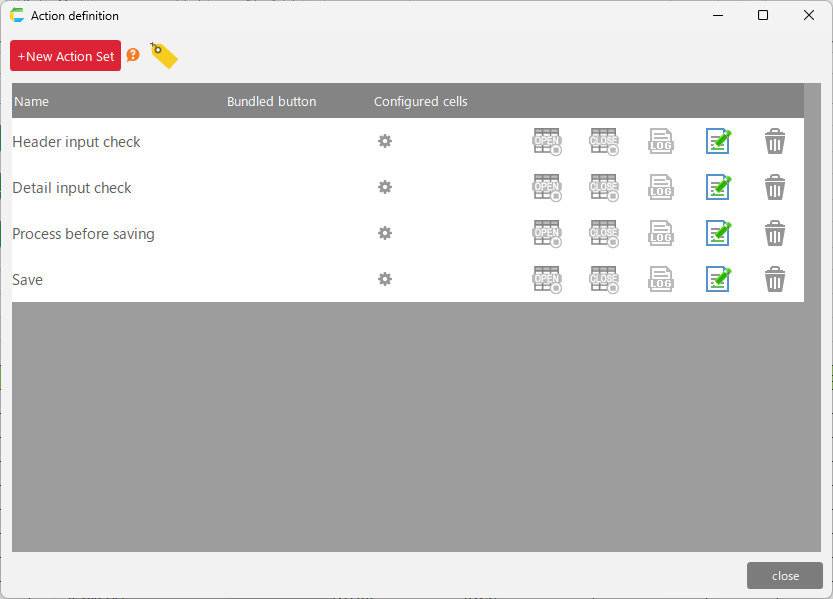
Modify action
Set delete button
Make sure that data that has already been circulated cannot be deleted.
Click the "Delete" button on top of the sheet.
Before the deletion process in the "Delete" action set, drop the "Start circulation of the following data in circulation data []" action and enter the following
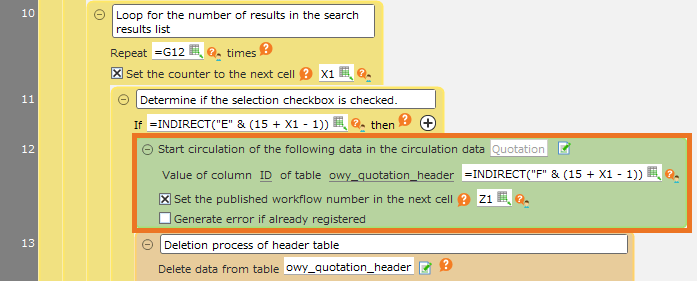
- Circlation data … Quotation
- ID Column Value … =INDIRECT("F" & (15 + X1 - 1))
- Retrieving the value of the ID column of the data checked on the screen
- Check "Set the issued workflow number to the next cell" and select Z1
- Uncheck "Generate error if already registered"
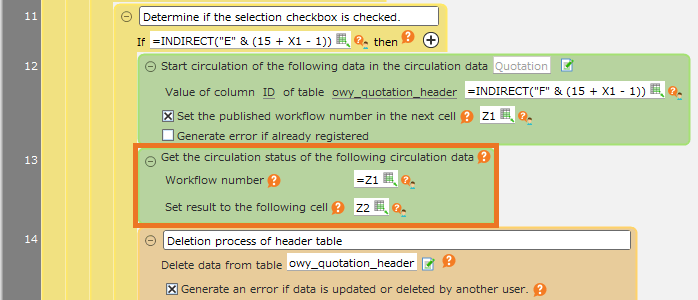
Drop the "Show circulation status for the following circulation data" action next to the action in 2, and enter the following
(The status of the circulated data corresponding to the workflow number in the Z1 cell is output to the Z2 cell.)
Next to Action 3, drop and enter the next three actions from the "Control" tab.
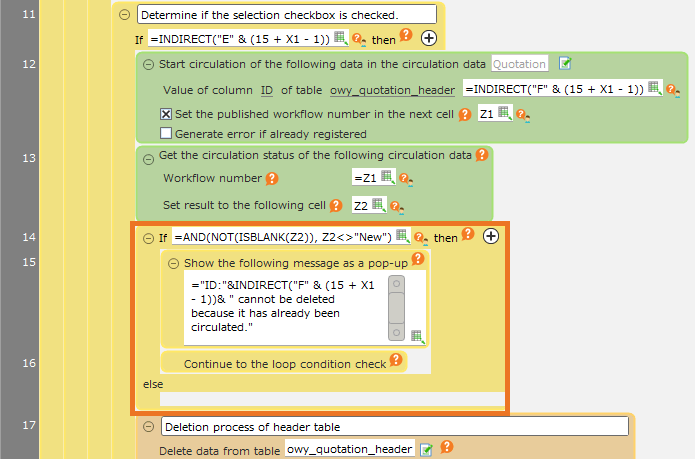
Enter =AND(NOT(ISBLANK(Z2)), Z2<>"New") into "If ~ then" action.
In the pop-up action, enter '="ID:"&INDIRECT("F" & (15 + X1 - 1))&" has already circulated and therefore cannot be deleted. " '.
This will cause a message to be displayed and the next iteration to be processed if the circulation status is not "New".
- Click "OK" button of "Action set settig" dialog.