Modify "Quotation_Menu" sheet
This section explains how to modify the "Quotation_Menu" sheet.
Placement of buttons
Place buttons related to workflow.
Double-click the "Quotation_Menu" sheet.
Add a button at the following position
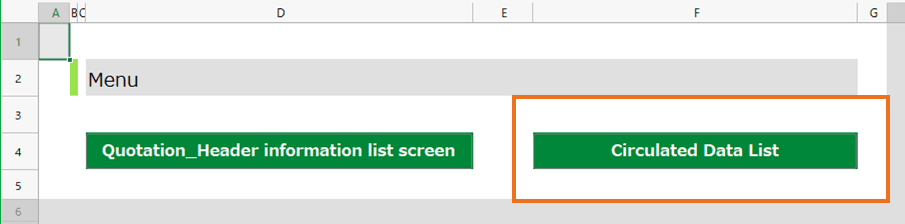
If you create a button by copying from an existing button, change the button ID (second argument of the =BUTTON function) so that it does not overlap in the sheet.
Modify action
Set Circulation Data List button
Enable display of "Circulation Data List" screen.
Click the "Circulation Data list" button on the sheet.
Click the "New action set" button in the "Action definition" dialog, enter "Dispaly circulation data list screen" and click "OK" button.
Drop the "Show sheets [] of application [] in a new window" action and enter the following

Click "OK" button in "Action set setting" dialog.
In the "Action set setting" dialog, confirm the "Display circulation data list screen" row is selected, and click "Select".