Perform character filling
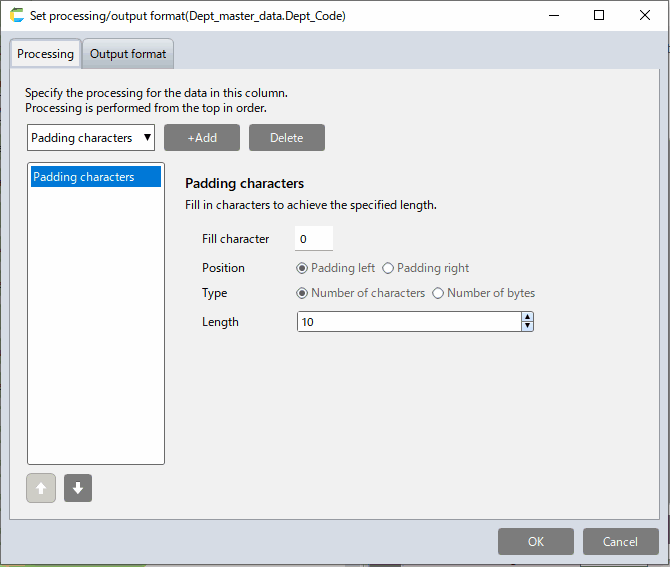
- Specify the character, position, and type to be filled.
Tip
The specific specifications are as follows.
- Specify the character, position, and type to be filled.
- If the number of target data exceeds the specified number, no action is taken.
- Ex. If you apply the above setting, "Left fill up to 10 characters with 0"
- Data"12345" → Result"0000012345"
- Data"1234567890" → Result"1234567890"(No Change)