Write the comment in the action.
Write the comment in the action.
- Open 'Action Set Setting' dialog.
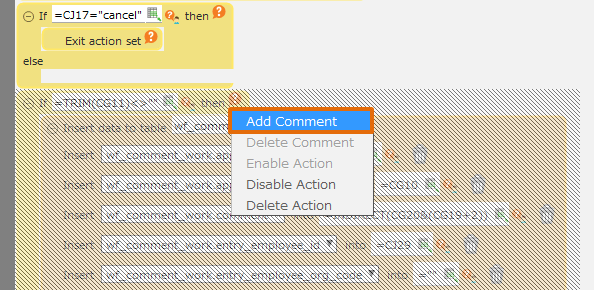
- Right-click the action to which you want to add a comment and select the 'Add Comment' menu.
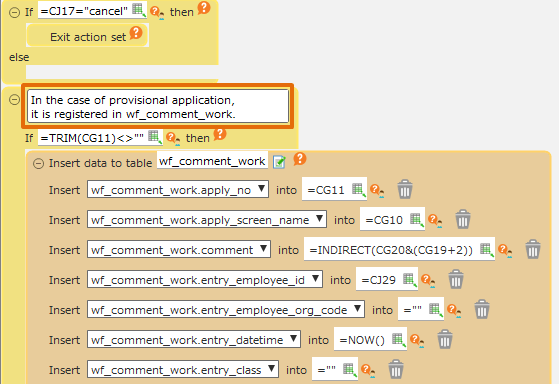
- Input the comment in 'Comment' input field.
Hint
- You can set your prefer sentence in the comment. There is no affection on the execution.
- It is convenient for the modification or checking by third person to put the reason and explanation about the complicated handling.
Related keywords
annotation, notes, debug