Disabled Action

Disabled Action

  1. Open 'Action Set Setting' dialog.
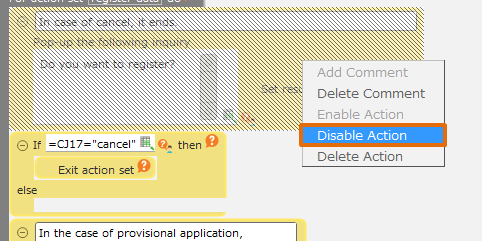
  2. Right-click the action you want to disable and select the 'Disable Action' menu.
../../../_images/img_01.en3.png

Tip

The disabled action will be displayed as the grey background.

Enabled Action

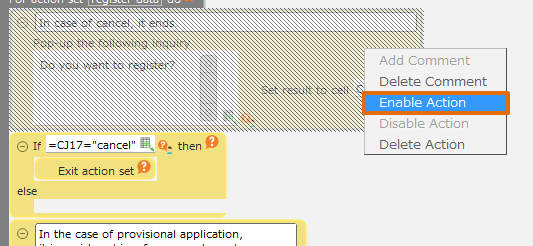
  1. Right click on the disabled action, then select 'Enable Action' menu.
../../../_images/img_02.en3.png

Related keywords

comment out, annotation, notes, debug