Advanced Topics in Workflow Features
Here we describe advanced topics in workflow features.
Creating a Workflow App with CELF BrowserAccess
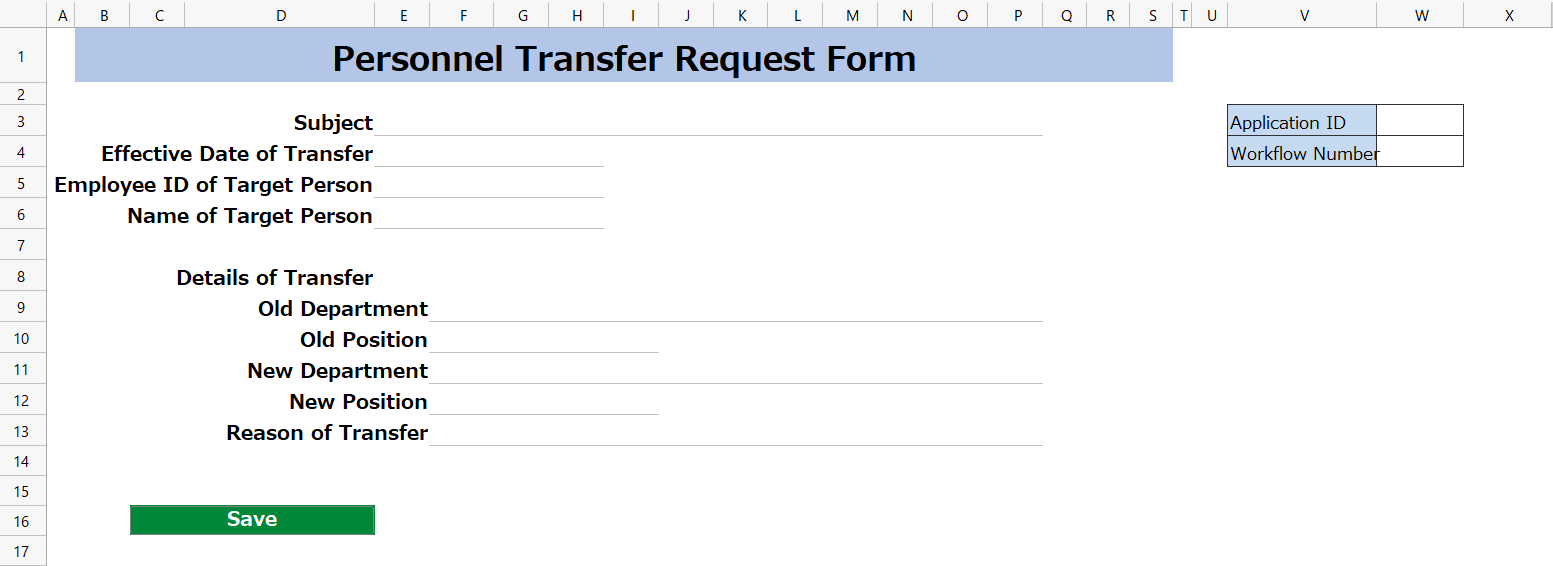
Circulation process in workflows can also be done with CELF BrowserAccess. Use organizations, positions, affiliations, circulation routes, and circulation targets pre-configured by CELF to create a web app with CELF BrowserAccess.
See also
For information on creating a workflow app with CELF BrowserAccess, refer to Creating a Web App from a Table (CELF BrowserAccess).
Setting Up a Proxy
During circulation processing, a user who performs the circulation on behalf of the designated circulation person in charge is called a circulation proxy. (At this time, the original circulation person in charge is referred to as the circulation proxyee). With proxy settings, you can set up both the circulation proxyee and the circulation proxy.
Tip
The setting of proxies is performed by users with system administrator privilege.
Setting up Circulation History
To verify that circulation data has not been tampered with, it is saved as a history for later reference. Without specific settings, one row of the table designated as circulation data is automatically saved. However, you can set it to save only certain columns of the designated table as circulation data, or to save data from tables joined with the designated table.
Setting up Circulation Process
You can set up a circulation process that serves as the base for registering circulation routes. In setting up the circulation process, you define the relationships between statuses, operations, and processes. Only one circulation process can be set per company, and changes to the circulation process affect all circulation routes, so the default circulation process is typically used. Change the circulation process when you want to add statuses or operations to the default circulation process.
Tip
The setting of the circulation process is carried out by users with system administrator privilege.
For specific instructions, please check the following.