Tuning For Searching Table (Set Index)
An index in a database table is a data structure that helps to speed up the retrieval of data from the table.
In cases where data retrieval takes a long time for tables with a large amount of data, the processing time may be improved by setting indexes appropriately.
This is detail of the way to set index in CELF.
Consideration for tables and columns to set indexes
Indexes are created by specifying the columns of a table. Therefore, it is necessary to consider which columns of which table should have indexes set.
Candidate tables for setting indexes include those with the following characteristics.
- Large number of data
- Tables that take a long time to execute data retrieval actions, SQL actions, and data update actions
In tables applicable to the above, it may take some time to narrow down the data in the specified conditions.
Therefore, setting indexes on the following columns in this table may reduce execution time.
- Columns frequently used in search conditions (WHERE clause), join conditions (ON clause), and sorting conditions (ORDER BY clause)
- Columns that hold a variety of values such as numbers and codes (columns with fewer types of values, such as flags or categories, are less effective)
Moreover, in cases where multiple columns are specified as conditions, creating a composite index (an index that specifies multiple columns in a single index) for those columns may enhance the effectiveness in some cases.
In a composite index, it is more effective to specify columns in the order of narrowing down the data. There is no need to match the order in which they are specified in the conditions.
Attention
- When creating an index, it may slow down the update operations (insertion, updates, deletion) on that table. Therefore, on tables where updates are made, please ensure to create only the minimum necessary indexes.
- Please do not set any index on columns that are not used in search conditions, as indexes are used for searching data.
- The creation of index may take time depending on the amount of data in the table.
- During the creation of an index, requests for searching or registering data for the table will be held up. Therefore, please carry out the index creation during periods when the table is less frequently used.
Set Index
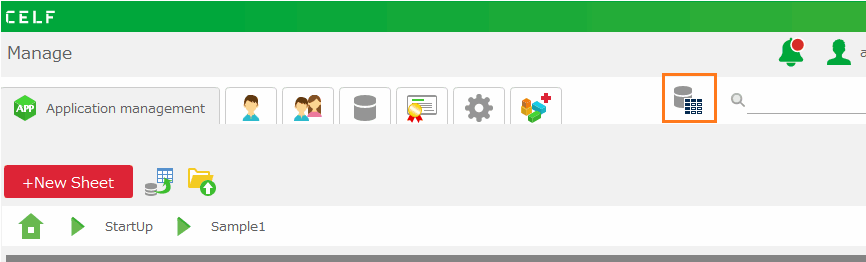
- Click 'Table management' in "Manage" screen, and then 'Table management' view is opened.
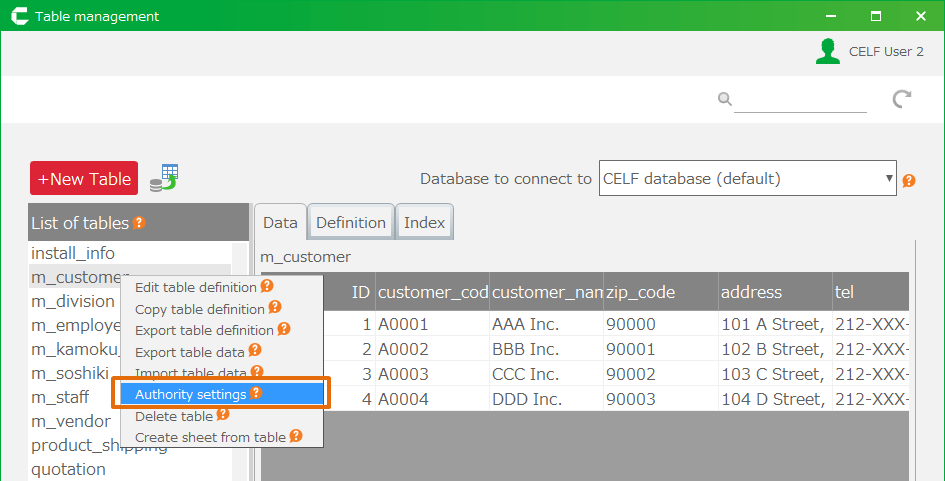
- Select table to make faster to search table and then double-click.
Tip
Just CELF database (default) in 'Database to connect to' can set index.
- Open 'Index' tab.
- Click '+Create a new index' button, and then 'Create index' dialog' is opened.

- Set the order starting from '1' to used column for searching condition.
- Click '+Create a new index' button.
Important
To set up indexing, users require the following permissions.
- Application author
- Database administrator
And also, Application author needs below permission to tables.
- Administrator

Related keywords
index