Export Table Definition
Export Table Definition
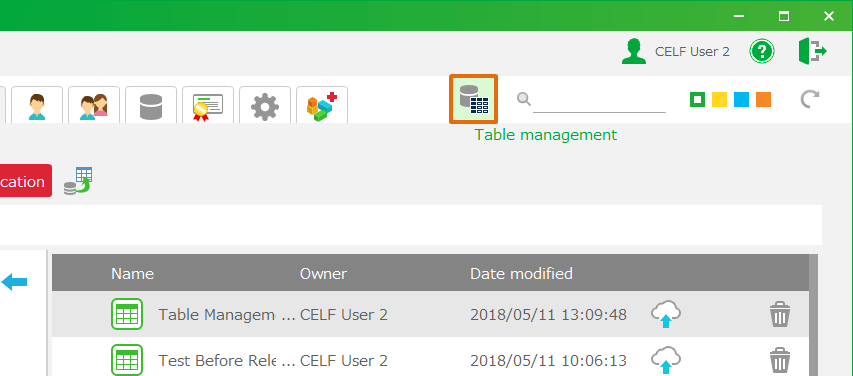
- Click 'Table management' in "Manage" screen, and then 'Table management' view is opened.
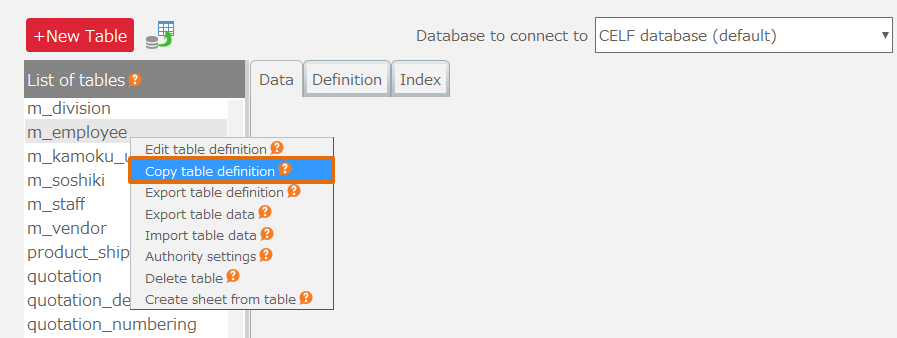
- Select table to export definition, and then right-click 'Export table definition' menu.
Tip
- Only table definitions of CELF database (default) in ‘Database to connect to’ can be exported.
- The table definition of tables starting with sys_ cannot be exported.
- Select the format of the file to be exported and select the output destination.
Attention
- In the case of 'CELF table definition file (.clt)', the information of the set index is also exported. Also, 'CELF table definition file' can not be edited.
- For the CSV file (.csv), the information on the set index is not exported.
See also
The exported file can be imported. For more information, see Import Table Definition.
Important
To export table definitions, users require the following permissions.
- Application author
- Database administrator
And also, Application author needs below permission to tables.
- Administrator
Regarding permission to tables, refer Set Permission for table Setting.

Related keywords
output, format, comma, separate, separator, delimiter