Execute data updates in batches.
If you set up actions to register, update, or delete data in CELF, each time you execute an action,
processing occurs in the database, which may affect performance as the number of actions increases.
In that case, you can avoid performance degradation by executing data update actions at once. This section explains how to do so.
Execute data updates in batches.
- Open 'Action set setting' dialog.
- Drag 'Batch execution of data updates' action and place it in the edit area.
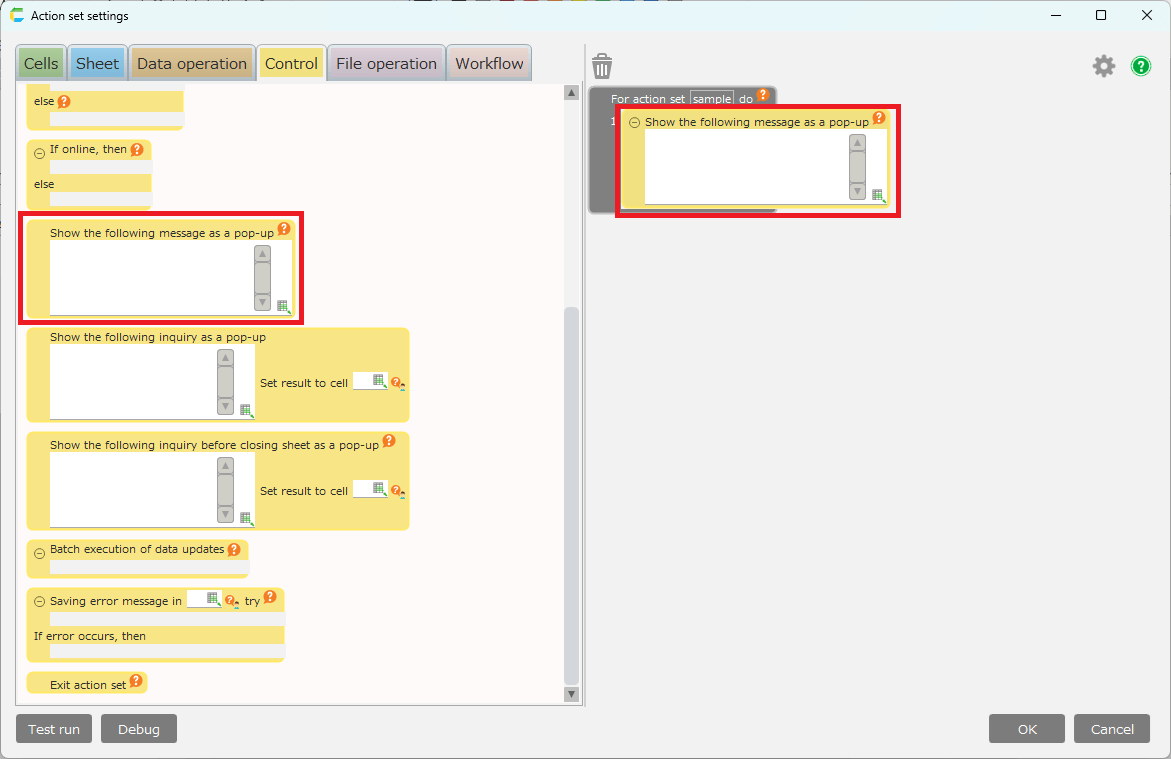
- Place the data update actions that you want to execute in bulk in the 'Batch execution of data updates' action block.
Attention
Even if a get data action is placed after a data update action in a block, the value retrieved will be the value before the 'Batch execution of data updates' action starts.If you want to get the values after the data update, place the get data action after the 'Batch execution of data updates' action.
- Save Action set.
Attention
When executing the action set, actions other than data update actions will be executed at any time, and if no errors occur in the block, the data update actions will be executed together at the end.
If an error occurs during execution, all data update actions will not be executed.
Tip
This action can also be used to maintain the integrity of the data.
The update process is controlled as a 'series of related operations' (transactions)
Therefore, if an error occurs during the update process, all updates will be rolled back to their pre-update state. If no error occurs, all updates will be committed.
Related keywords
unit, request, commit, roll back, rollback