Replace cell values in an action
You can use the action to replace values in specified cell or range.
You can select either replace with the value after formula evaluation, or replace with a string with the specified condition.
Tip
If a cell is designated as input prohibited, it will also be replaced.
Replace with the value after formula evaluation
- Drag ‘Replace cell(s)’ action from ‘Cell Operation’ tab, then set in the edit area.
- Specify the cell that contains the formula to be replaced by the value after evaluation.
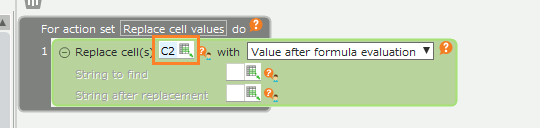
- Select ‘Value after formula evaluation’ from the drop-down list.
Replace with a string with the specified condition
- Drag ‘Replace cell(s)’ action from ‘Cell Operation’ tab, then set in the edit area.
- Specify the cell containing the string to be replaced.
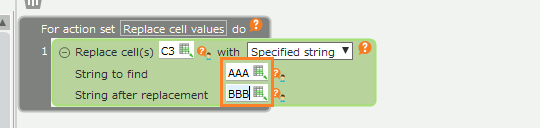
- Select ‘Specified string’ from the drop-down list.
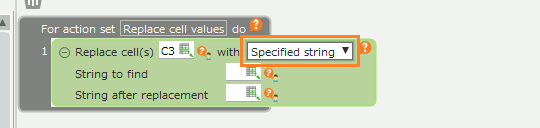
- Specify the string to find and the string after replacement.
Tip
The behavior of string replacement is the same as when you perform replacement without specifying all options in the Find and Replace dialog.